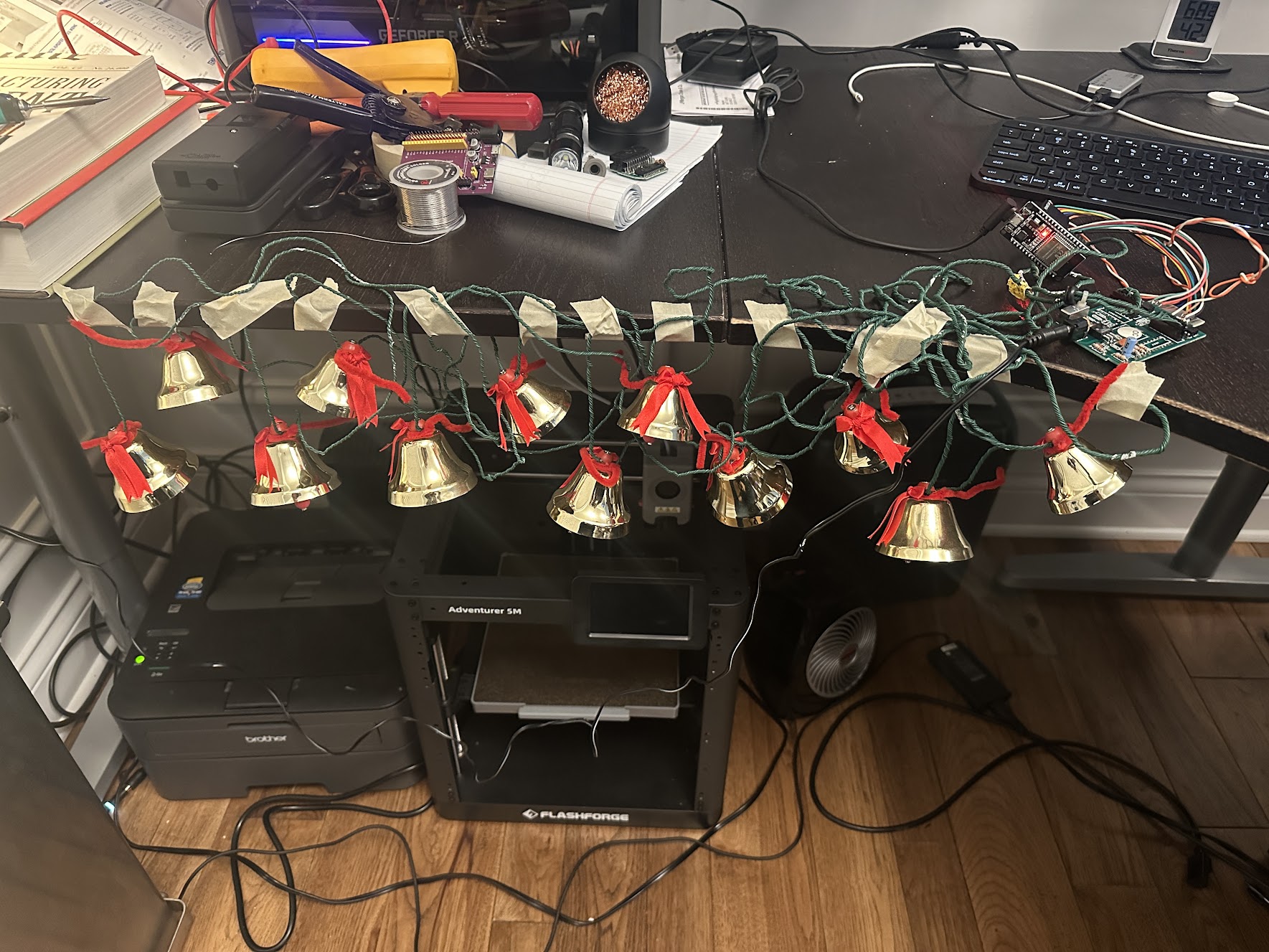
This project was an excuse to finally learn KiCad and get a real PCB manufactured. Syncing up a set of vintage “Ye Merrie Minstrel Caroling Christmas Bells” to play in unison was a fun application, but the real goal was going through the full cycle: design a board, send it to a fab, solder it up, and see if it works.
It did. Here’s the result:
The Application
The bell units take a ROM cartridge that contains the song data. The idea was to replace the cartridge with a custom PCB that receives wireless note data, so any number of units can play the same notes at the same time, turning soloists into a choir.
A single transmitter broadcasts over ESP-NOW. Receivers in the bell units pick it up and play in sync, with no pairing or per-device configuration needed.
Designing the Board in KiCad
The constraint that made this interesting as a first PCB: the board had to fit within the same physical footprint as the original ROM cartridge so it would sit flush inside the enclosure. That left very little room to work with, which made component placement and routing a real exercise in spatial planning.
I used KiCad to lay out the board. Most of the design work was routing the ESP32 connections without cramming things too tightly within the available space. The schematic is straightforward; the PCB layout was where the learning happened.
To verify the fit before ordering boards, I used KiCad’s 3D render export to generate a model of the design and test-fit it with a 3D print. That step caught a clearance issue I would have otherwise discovered only after the boards came back from the fab.

Getting It Made at OSH Park
I ordered the boards through OSH Park, which was a natural fit for a small prototype run. You upload your Gerbers, they panelize with other orders, and a few weeks later you get three boards in their signature purple solder mask.
The boards came back clean. Soldering the ESP32 and a handful of passives was straightforward, and the edge connector seated perfectly.

The Firmware
The firmware has three variants under firmware/:
- Transmitter — broadcasts note data over ESP-NOW to all receivers in range
- Receiver — runs on each bell unit, plays notes as they arrive
- ROM-dumper — extracts the original cartridge contents over serial, in case you want to study or preserve the song data
All the hardware files are in hardware/ if you want to build one or use the design as a starting point. Full writeup on Hackaday.io, source on GitHub.
A Software Engineer’s Perspective
Coming from software, the thing that stood out most was how immature the hobbyist hardware ecosystem still feels around reusable, modular components.
In software, if I need a library, I declare a dependency and get a well-tested, versioned artifact with a known interface. In KiCad, if I need a schematic symbol and footprint for a specific ESP32 variant, I’m often hunting through community repositories of varying quality, cross-referencing datasheets to verify pin mappings, and manually checking that the footprint dimensions actually match the physical package. That’s a lot of surface area for bugs, and it’s all undifferentiated work that has nothing to do with the actual design problem.
That surface area caught me. I had a net connected to the wrong pin in my schematic, which survived review and made it onto the fabricated board. I only caught it when the ESP32 was not booting as expected and I started troubleshooting. The fix was the classic bodge: cut the offending trace with a knife, scrape back a little solder mask, and run a wire between the two pads that should have been connected in the first place. ERC in KiCad will flag some schematic errors, but it won’t catch a logically incorrect connection. That requires either careful review against the datasheet or trusted component data you didn’t have to transcribe yourself.
What I actually wanted was to declare “I’m using an ESP32-WROOM-32” and get back a verified schematic block covering correct pin labels, decoupling caps, antenna keepout, and recommended power sequencing, that I could drop in and trust. The component would encode the reference design knowledge from the datasheet so I don’t have to re-derive it every time. The hardware equivalent of a well-maintained package: batteries included, sane defaults, community-validated.
KiCad does have built-in symbol and footprint libraries, and third-party options like SnapEDA and Ultra Librarian help. But the coverage is inconsistent, the quality varies, and there’s no real dependency management story: no lockfile, no versioning, no audit trail for what component data you pulled in and from where. For a one-off hobby project that’s manageable. For anything more serious, it starts to feel like writing software without a package manager.
I’m curious whether better solutions exist today and plan to dig into that in a follow-up post.